|
License
Plate Door Decs
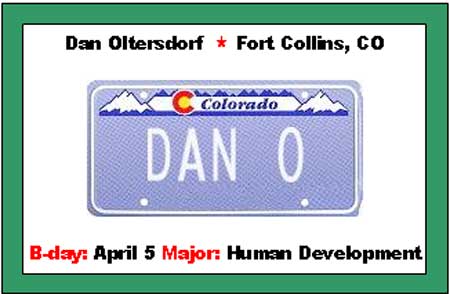
-
- Choose
the state your resident is from
- Choose
the style of license plate you like
- Press
"Make License"
- Right
Click on the graphic that is created and choose
"copy" (continued below)
- Open
the included license
plate template in MS Word
- Click
on one of the license plates in the template
- Choose
"paste" in MS Word
-
- Customize
the information (hometown, bday, etc)
- Print,
cut and paste on colored construction paper
NOTE:
Some names will not fit on this template. When
that is the case, be CRE8IV or include the first
part of the name. The entire name is listed
at the top of the doortag.
There
are a couple of other links on that page to
make custom valentine hearts, labels, and church
signs.... lots of room for creativity!
|

